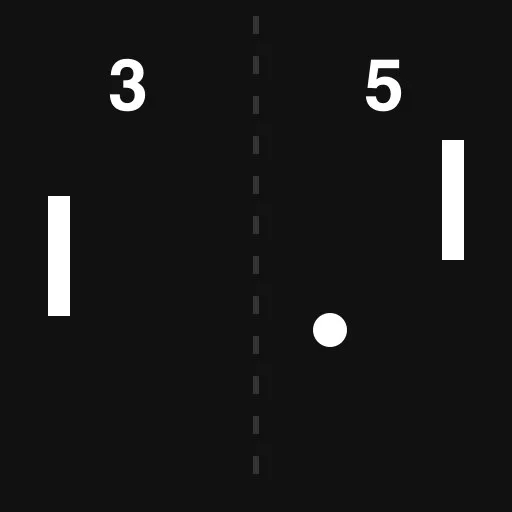
Two-player games occupy a special place in the gaming ecosystem. They are social by design, competitive by nature, and when they work well they create moments of shared experience that single-player games rarely match — the instant replay after a close finish, the argument over who made the better call, the genuine surprise when a comeback actually works. Browser-based two-player games have the added advantage of requiring nothing beyond a shared screen: no console, no extra controller, no subscription. Just a keyboard and two people paying attention.
This guide covers eight two-player browser games you can play on this site right now, across every genre, with the full control mapping for each one and notes on which games suit different skill combinations. Every title listed links to its own page with tips and a difficulty read.
Why Play Two-Player Browser Games?
The practical case for local multiplayer browser games is strong: they are zero-cost, zero-setup, and work on any device. But the more interesting reason to play them is that shared-screen local multiplayer creates a fundamentally different dynamic than online play. When both players can see the whole board (or the whole arena), information is perfect on both sides — every decision is made with full knowledge of what the opponent is doing. This generates a richer, more legible competitive experience than the fog-of-war and lag compensation of online multiplayer.
Classic same-keyboard games like Bomberman, Pong, and early Street Fighter existed before online infrastructure was viable precisely because local play has inherent virtues. Browser games have quietly maintained that tradition.
"The Gamepad API is a way for developers and designers to access and use gamepads and other controllers for web applications… [it] opens up the web to a new type of input device."
Best Two-Player Browser Games
1. Pong
Genre: Arcade Classic | Player 1: W / S | Player 2: Up / Down Arrows
Pong is where every argument about two-player controls gets settled. Two paddles, one ball, eleven points to win, and a scoring surface that both players can read completely — there is no hidden information anywhere in the game. What makes it the best entry on this list is not that it is simple but that the skill it demands is legible. You can always see why you missed the ball, which means the gap between a beginner and an expert is exactly the gap in anticipation, not in reflexes you were not born with. It is the 1972 Atari original running in a browser tab, and it still works better as a two-player experience than most games built in the last decade.
2. Basket Random
Genre: Sports | Player 1: W | Player 2: Up Arrow
Basket Random is arcade basketball where both players are ragdolls and the ball obeys the limbs rather than a physics solver. One key per player, first to five points. What looks like a limitation — no dribbling, no running, only a single button — is actually the design: every point comes from timing a shot against a moving, flailing opponent, and because the ragdoll never holds still, the same input produces a different result every time. The most common way to lose a point is to commit to a shot you were going to make anyway, because the opponent's arm was in a different place than it was on the last exchange. Full controls and a scoring breakdown are in the Basket Random guide.
3. Head Basketball
Genre: Sports | Player 1: WASD | Player 2: Arrow Keys | Shoot: Space
Head Basketball is a 1v1 duel where movement speed is the real weapon. The dash move closes a gap in roughly half a second, which turns the half-court into a series of very fast positional decisions, and the mega dunk is the payoff when you win one. Pump fakes give the offense a way to create space without moving, and they work against the AI too — which is worth knowing if you want to learn the timing before you challenge a friend. It runs fast enough that pausing to think is punished, so it rewards the pair who are willing to commit.
4. Head Soccer 2024
Genre: Sports | Player 1: WASD + V / B | Player 2: Arrows + K / L
Head Soccer 2024 is arcade football with oversized heads, an unpredictable bouncing ball, and a layer of special powers on top. The base game is already chaotic enough that goals often come from mistakes rather than skill, and the power moves add a second axis: a shot that was going to miss can be redirected into something spectacular. One-on-one versus mode splits a single keyboard between two players. The ten-country tournament mode plays you against the CPU across ten national sides and is the better way to learn the power timing before you go head-to-head.
5. Hockey Random
Genre: Sports | Player 1: W | Player 2: Up Arrow
Hockey Random regenerates the rink between rounds. The ice geometry, the puck's behaviour, and even the gravity change from match to match, so any tactic you build in one game is worthless in the next. That is the whole appeal, and it is also the answer to the most common two-player complaint — that one player has memorised the map. Here nobody can memorise the map, including the person who has played the most. Two players, first to five goals, one key each. The Hockey Random guide covers how the randomised rules interact.
6. Arcade Volley
Genre: Sports | Controls: Mouse / Keyboard
Arcade Volley is the volleyball entry on this list, and what makes it interesting is the fixed camera and the short rallies. Because you can see your opponent's entire side of the court at once, the decisions are about placement rather than reflexes — where you put the ball matters more than how hard you hit it. Matches across a rotating set of court locations keep the visual context changing, which stops the third game from feeling like the first. It is a good bridge title: more structured than the ragdoll games, more immediately readable than a sports simulation.
7. Gun Mayhem
Genre: Shooter | Player 1: Arrows | Players 2–4: WASD | Shoot: Space
Gun Mayhem is the only entry here that supports up to four players on one keyboard, which puts it in a category of its own when you have a group rather than a pair. Sixty-plus firearms and twelve maps sound like the main event, but the actual objective is what changes it: you win by knocking rivals off the stage, not by out-damaging them. That inverts the usual shooter logic — the edge of the map is the dangerous place and the centre is the safe one, so positioning matters more than accuracy. With three or four people on one keyboard the collisions become as important as the shots. The Gun Mayhem guide covers the map layouts worth learning.
8. Ragdoll Hit Stickman
Genre: Fighting | Player 1: A / D | Player 2: Arrow Keys
Ragdoll Hit Stickman strips a fighting game down to two keys and then removes every guard. Each swing lands differently because the physics are never quite the same twice, so muscle memory helps less than adaptation does. Two-player mode is the one worth starting on — the design only really comes alive when someone is deliberately trying to knock your character over rather than simply trade blows. It also has single-player and survival variants for when you are on your own, but neither shows what the game is for quite as clearly as the two-player round does.
How to Choose a Two-Player Game for Your Situation
Both players are new to browser gaming
Start with Pong or Basket Random. Both have accessible controls, short rounds, and enough visual feedback that understanding what is happening is never a problem. Pong has the lowest floor of anything here — one key each and a scoring surface that explains itself — while Basket Random adds just enough unpredictability to stay interesting once the basics land. If one of you is nervous about losing badly, take the ragdoll games: their randomness means the stronger player cannot reliably win, which flattens the embarrassment.
One experienced player, one beginner
Choose Hockey Random or Head Soccer 2024. Both reroll their rules between rounds, so the player who has more practice cannot carry the skill advantage into the next game. Avoid Gun Mayhem and Head Basketball in this situation — both reward deliberate timing, and the gap between a practised hand and a first attempt is wide enough to end the session early.
Both players want competitive depth
Head Basketball and Gun Mayhem reward the most developed tactical play. Both have enough mechanical depth that a clearly better player will win consistently — the dash timing in Head Basketball, the map positioning in Gun Mayhem — which is what makes improvement feel meaningful over a session. Basketball Stars is the deeper option still if you want shot timing and character customisation on top of the physics.
You want maximum laughs
Basket Random, Hockey Random and Ragdoll Hit Stickman all have deliberately chaotic physics that generate emergent comedy. Do not try to play them "seriously." The moment you commit to improvised plans and accept that physics will betray you, they become far more entertaining than the games designed to be played well. Arcade Volley is the opposite pick — it rewards placement, so it is the one to choose when you want the two of you to actually improve at something together.
Technical Tips for Two-Player Browser Games
Sharing a keyboard between two players creates some practical issues worth managing:
- Key ghosting: Some keyboards do not register more than 3 simultaneous keypresses. If button combinations stop working during intense play, this is likely key ghosting. Gaming keyboards typically handle 6 or more simultaneous keys (n-key rollover). On a laptop keyboard, ghosting is common — note which key combinations conflict and adjust your play accordingly.
- Zoom level: Increase browser zoom to 125% or 150% for small-screen devices to make the game area larger and reduce physical crowding at the keyboard.
- Mute for focus: Two-player games often have sound effects that help with timing. If the environment is noisy or one player cannot hear audio, muting and focusing purely on visual cues is a valid and sometimes superior approach.
Browser Two-Player Games vs. Online Multiplayer
Local multiplayer has genuine advantages over online play for casual gaming contexts. There is no matchmaking wait, no connection issues, no toxicity from strangers, and the feedback loop of reacting to a real human next to you is viscerally different from interacting with an avatar on screen. The downside — you need a second person physically present — is also a feature for many scenarios: sharing a screen at school, competing at a family gathering, or introducing a less-experienced person to gaming in a controlled, supportive environment.
For the complete list of everything we publish for two players — these eight plus every online multiplayer title — see our 2 player games hub. For more recommendations across all genres, our full list of best browser games of 2026 covers single-player options in depth.
Frequently Asked Questions
Can two people play these games on one keyboard?
Yes — that is the point of the list. Each entry gives both control sets: Pong uses W and S for player one and the up and down arrows for player two, while Head Soccer 2024 splits the keyboard the same way with movement on WASD versus arrows and the power moves on V and B versus K and L.
Are two-player browser games free?
Yes. The guide's premise is that local multiplayer in a browser needs no console, no second controller and no subscription — one keyboard and two people. Every title listed is playable free, and every one links to its own page where you can start it immediately.
Which two-player game is best when the two players are at different skill levels?
Pick a game that rerolls its own rules. Hockey Random regenerates the rink, the puck and the gravity between rounds, so a more practised player cannot bank on what they learned last time. Basket Random works for the same reason — the ragdoll physics make the outcome largely a function of the current exchange rather than accumulated skill. By contrast, Head Basketball and Gun Mayhem punish the slower player directly and are better saved for a well-matched pair.
Do two-player browser games support controllers?
Some do. The Gamepad API lets a browser page read USB and Bluetooth controllers, so a two-player game can accept gamepads alongside the keyboard. Check the controls panel on each game's page for its specific mapping before you plug anything in.
